Cost-free shipping from 149€ with DHL GoGreen



The Ultimate Step-by-Step Guide
Have you always thought smart homes were complicated, expensive, or just for tech experts? Then you're in the right place! With this easy-to-follow step-by-step guide, you'll learn how to make your home smart quickly and effortlessly.
What Exactly is a Smart Home?
A smart home is a connected home where devices and systems automatically communicate with each other. Lights, thermostats, door locks, and even household appliances can be conveniently controlled via apps or voice commands, making your life easier, more comfortable, and safer.

Why Choose Matter and Thread?
Homedia focuses on two future-proof standards: Matter and Thread.

- Matter is an open standard ensuring compatibility across devices from different manufacturers.
- Thread is an energy-efficient and reliable wireless protocol that seamlessly connects devices.
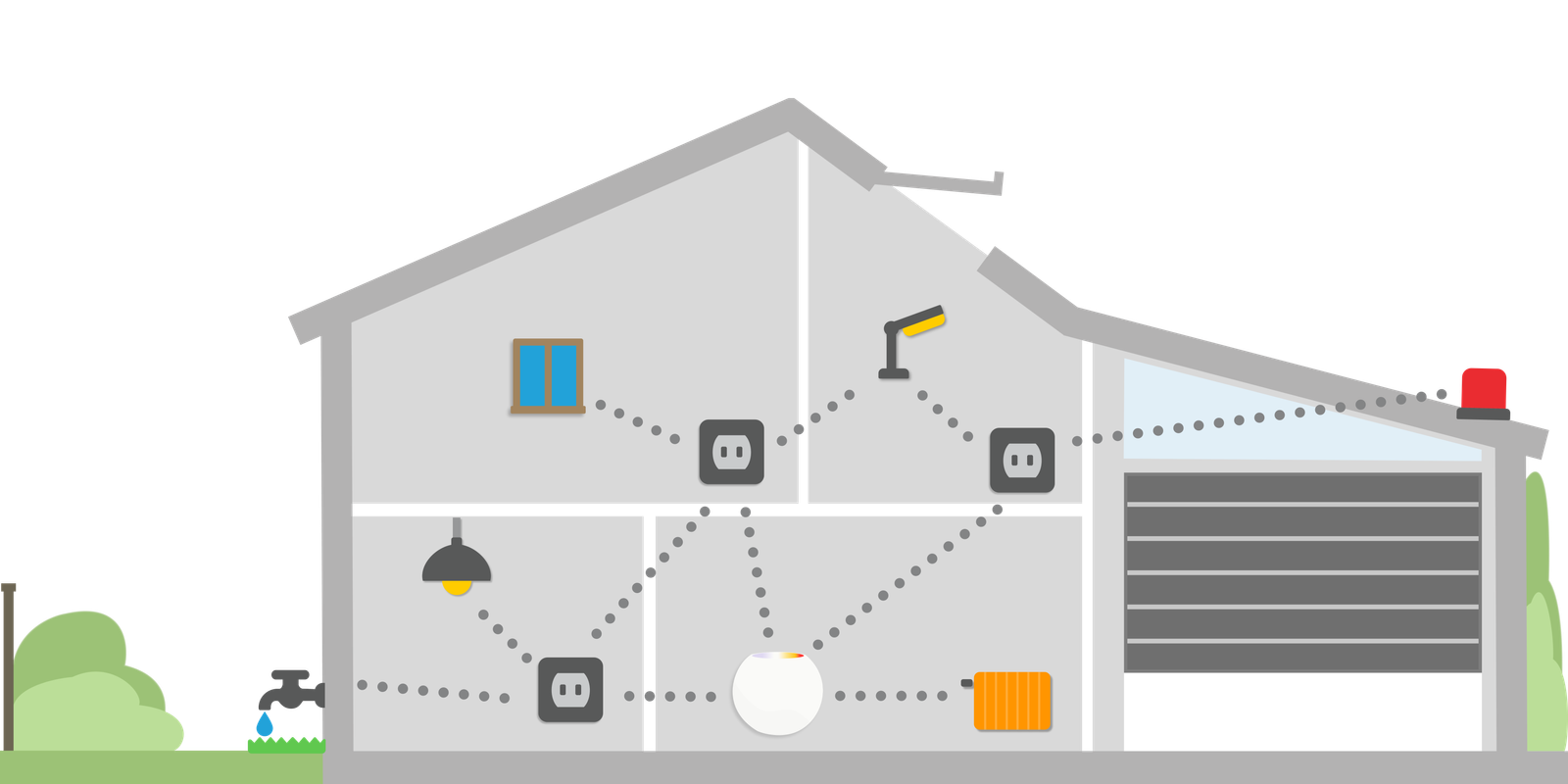
Choosing these standards ensures your smart home remains compatible, secure, and reliable in the long run.
Step-by-Step Guide: How to Easily and Quickly Get Started with Your Smart Home
Step 1: Define Your Needs
First, think about what's important to you:
- Enhanced home security?
- Convenient lighting and temperature control?
- Saving energy and reducing costs?
- Accessibility and solutions for aging comfortably at home?
Step 2: Use the Homedia Builder
No tech expertise required! Our unique home builder helps you tailor your smart home setup. Simply input your preferences and requirements, and the smart home builder will recommend suitable devices and solutions.
Step 3: Choose Suitable Smart Home Devices
We recommend starting with simple yet effective core devices:
- Smart lighting: Easy setup, instantly boosting comfort and security.
- Smart thermostats: Reduce your energy costs and enjoy the perfect temperature.
- Security cameras and door sensors: Ideal for families and seniors, providing constant peace of mind.
Step 4: Easy Setup with Homedia Tutorials
Our clear and straightforward guides ensure you can set up your new smart home devices quickly:
- Simple video tutorials
- Clear step-by-step guides
- Fast support for any questions
Step 5: Control via App and Voice
Easily control your smart home through your smartphone or voice assistants like Siri, Alexa, or Google Assistant. This ensures your home is always at your fingertips, and you can adjust settings anytime.
Common Mistakes to Avoid When Getting Started with a Smart Home
Frequently Asked Questions
What is a smart home in simple terms?
A smart home is a home where devices talk to each other and respond to you, whether through an app, voice commands, or automatically. Instead of flipping a light switch, you say 'Alexa, living room off' or set up a routine: at 10 PM the lights dim, the lock closes, and the heating turns down. The basics are smart bulbs, thermostats, sensors, and a hub that connects everything.
What is the best way to start with a smart home?
Start small with one need: saving energy means a radiator thermostat, comfort means smart lighting with a voice assistant, and security means door/window sensors plus an indoor camera. Invest first in Matter-certified devices so you stay flexible later. A typical starter setup costs 170€ to 330€, installs in 1 to 2 hours with no prior knowledge, and the Homedia configurator suggests packages based on your living space.
What is the best smart home system for beginners?
For beginners, systems with Matter support are recommended: Apple Home (if you use an iPhone), Google Home (Android, great voice control), Amazon Alexa (largest device selection), or a neutral hub like the Homey Pro mini (works across brands). Avoid anything proprietary without Matter, or you will be stuck with non-expandable devices in a few years. A hub starts at around 100€, and a voice assistant at around 33€.
Do I need technical knowledge to set up a smart home?
No. Modern Matter devices are added by scanning a QR code in the manufacturer app or hub, which takes 1 to 2 minutes per device. Routines are created through simple if-then logic with a few clicks and no programming. At Homedia, you get step-by-step guides and an AI assistant that helps with questions. If you can use a smartphone, you can set up a smart home.
How much does a smart home cost for beginners?
A solid starter setup costs 220€ to 550€. Example: hub (110€) + 2 Matter bulbs (55€) + radiator thermostat (66€) + door/window sensor (33€) + smart plug (28€) = about 292€. You can expand at any time. Premium setups with cameras, locks, and multi-room audio range from 1.650€ to 3.300€. Professional KNX systems, by comparison, start at 11.000€ and up.
What mistakes should beginners avoid?
Four common mistakes: 1) Buying devices without Matter certification (lock-in risk). 2) Trying to automate all rooms at once (overwhelms you and the network). 3) Choosing pure cloud solutions instead of locally operating hubs. 4) Keeping default passwords and running Wi-Fi without a guest network. Better approach: one room, one need, then expand. That way you learn the system without investing in a dead end.
Why Homedia is Your Best Choice
Conclusion
Creating a smart home has never been easier. With the right preparation, support from our AI assistant, and reliable, future-proof devices, you can easily achieve your smart home dreams. Take the first step—it's easier than you think!
Start your smart home journey now with Homedia!